Small changes can make screens more comfortable
Digital devices are useful and often unavoidable, but how we set them up and use them can make a meaningful difference to eye comfort. Start with the screen itself, then look at the wider working environment.
Choose eye-friendly screen settings
- Reduce screen brightness so that it matches your surroundings.
- Increase the text size to reduce squinting.
- Adjust contrast for comfort.
- Use dark or night mode in low light.
- Consider using voice commands.
- For long reading tasks, switch to an e-reader or an e-ink device.
Improve your desk or office set-up
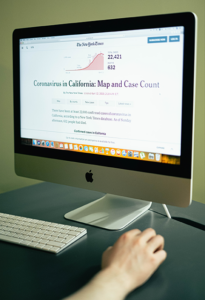
- Position the screen around an arm’s length away. E-readers can be a little closer, at approximately 30–60 cm from the eyes.
- Keep the top of the screen at, or slightly below, eye level.
- Use an appropriate chair height: feet flat, knees at 90 degrees and thighs parallel to the ground.
- Avoid glare and reflections. A matte screen protector may be worth considering.
- Use an external keyboard where this helps improve posture.
- Keep the screen clean.
- Consider using a humidifier.
- Avoid sitting directly facing air conditioning.
Remember regular micro-breaks
Use the 20-20-20 rule: every 20 minutes, look at something 20 feet away for at least 20 seconds. Also take regular mini breaks for a little longer, at least every two hours. Stay well hydrated and attend regular eye check-ups.
The truth about blue light and eye strain
Most screens, apart from e-ink displays, emit blue light. Blue-light glasses and screen filters are often promoted as ways to protect the eyes by blocking it. However, evidence shows that for most people blue-light filtering does not reduce eye strain.
There is a separate point about sleep: reducing blue-light exposure in the evening may help natural sleep patterns because blue light can affect the hormones that regulate sleep. That potential sleep benefit should not be confused with reducing digital eye strain.
Practical tips
For digital eye strain, concentrate on breaks, blinking, comfortable screen settings, good posture, an appropriate viewing distance, reducing glare and keeping your prescription up to date.
More personalised advice
If you have made sensible adjustments but screens still leave you uncomfortable, a Rawlings optometrist can check for uncorrected vision problems, dry-eye symptoms and other individual factors. Contact your local practice to arrange an eye examination with one of our experts.